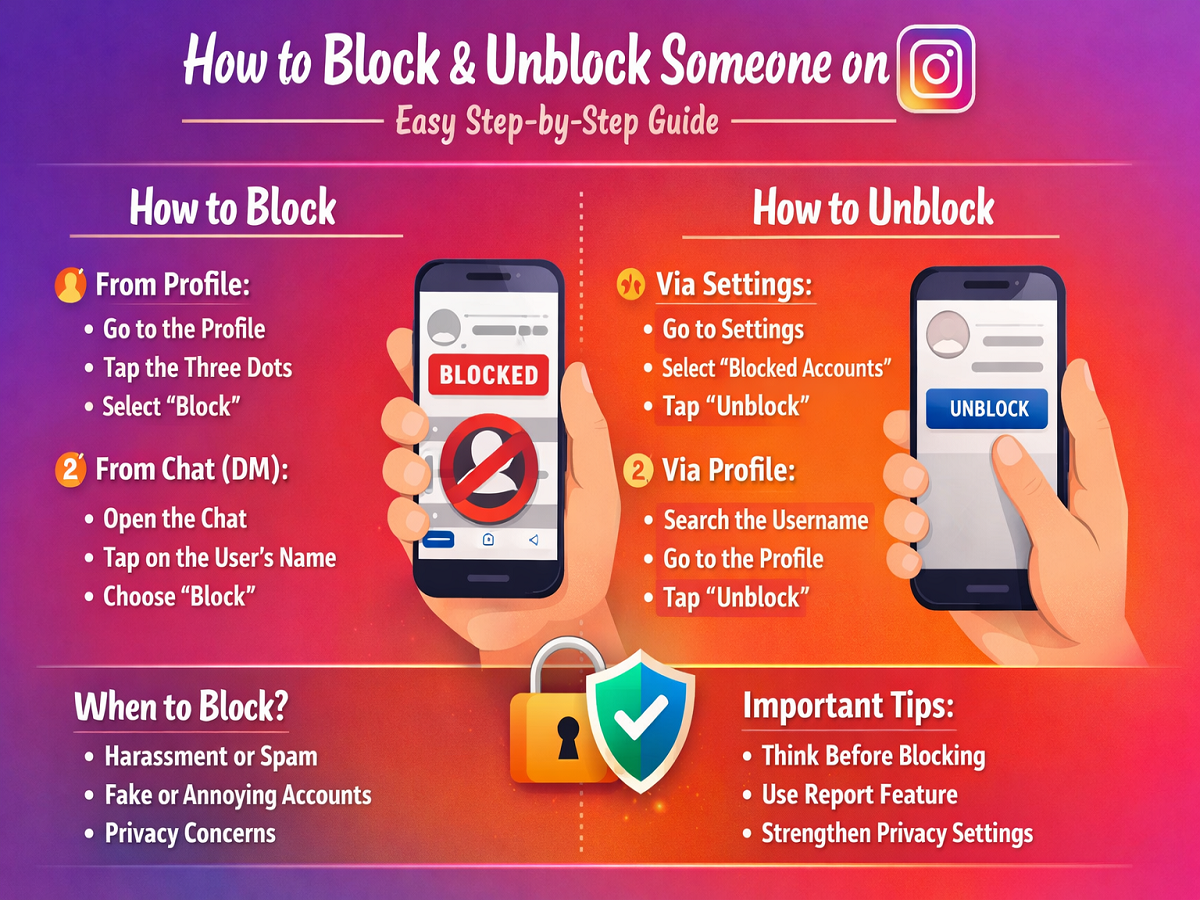
In today’s digital world, Instagram is more than just a place to share photos and videos—it’s a key part of our daily communication. However, not every interaction online is pleasant. Sometimes users face spam, unwanted messages, or even harassment. That’s where Instagram’s Block feature becomes extremely useful.
If you want to protect your privacy or simply control who can interact with you, this easy guide will help you understand how to block and unblock users on Instagram.
What Happens When You Block Someone on Instagram?
When you block a person on Instagram, several things change instantly:
- They can no longer view your profile
- Your posts and stories become invisible to them
- They cannot send you messages or call you
- They won’t be notified that you blocked them
This feature is designed to give users complete control over their online experience.
How to Block Someone on Instagram
Blocking someone is quick and can be done in just a few taps.
Method 1: Block from Profile
- Open the Instagram app
- Go to the profile of the person you want to block
- Tap the three-dot menu (top right corner)
- Select “Block”
- Confirm your choice
Once blocked, the user will immediately lose access to your profile.
Method 2: Block from Chat (DM)
If someone is bothering you through messages:
- Open Instagram Direct Messages
- Tap on the chat of that person
- Click on their name at the top
- Select “Block”
This method is especially helpful when you want to act quickly.
How to Unblock Someone on Instagram
Sometimes, you may want to reverse your decision. Instagram makes it easy to unblock users.
Method 1: Unblock via Settings
- Open Instagram
- Go to your profile
- Tap the menu (three lines)
- Go to Settings & Privacy
- Tap Blocked Accounts
- Click “Unblock” next to the user
Method 2: Unblock via Profile
- Search for the person’s username
- Open their profile
- Tap “Unblock”
This is the fastest option if you remember their username.
What Changes After Blocking?
Blocking someone affects your connection in multiple ways:
- Both users automatically unfollow each other
- Chat history remains, but new messages cannot be sent
- The blocked person won’t find you in search
If you unblock them later, you’ll need to follow each other again.
When Should You Block Someone?
Blocking is not always necessary, but it becomes important in certain situations:
- If someone repeatedly harasses or disturbs you
- If you receive spam or fake messages
- If your privacy is being compromised
- If you feel uncomfortable or unsafe
Your mental peace and online safety should always come first.
Important Tips to Stay Safe
1. Think Before Blocking
If the issue is minor, try resolving it through conversation first.
2. Use the Report Feature
If someone violates platform rules, report them along with blocking.
3. Strengthen Privacy Settings
Consider making your account private for better control.
Final Thoughts
The block and unblock features on Instagram are simple yet powerful tools to manage your digital space. Whether you want to avoid negativity or regain control over your interactions, these options help you create a safer and more comfortable online environment.
If someone disrupts your peace, don’t hesitate to use the block feature. And if you ever change your mind, the unblock option is always there.