TECH
Diwali 2026 Photography Tips: Capture Stunning Photos and Videos With Your Smartphone Using These 6 Camera Tricks
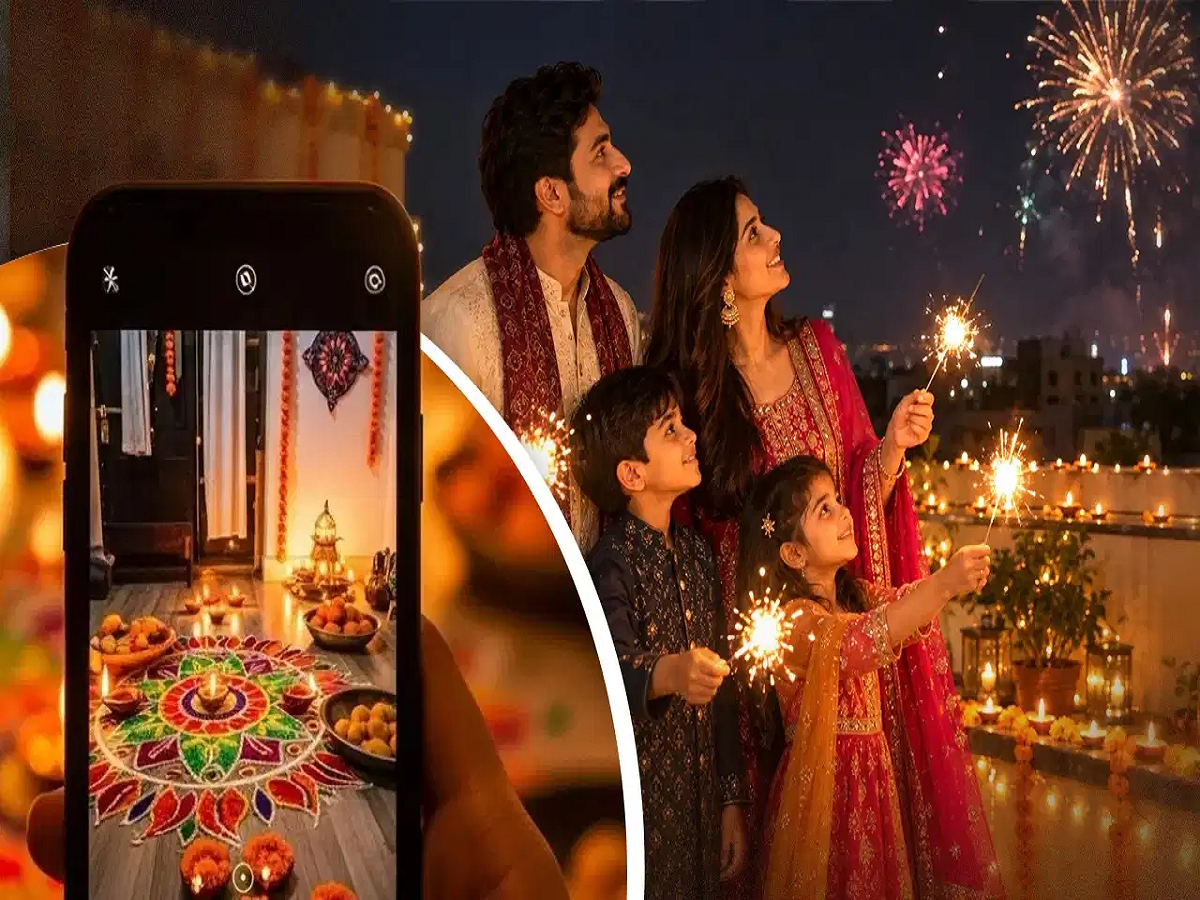
Diwali is a festival filled with beautiful lights, colourful rangolis, glowing diyas and spectacular fireworks. Many people love capturing these special moments and sharing them on social media. However, taking clear and attractive photographs at night can be challenging, especially when the surroundings have different lighting conditions.
The good news is that you don't necessarily need an expensive DSLR or professional camera to capture stunning Diwali photographs. Your smartphone camera can deliver impressive results if you understand a few important settings and use them correctly.
Features such as Night Mode, Pro Mode, exposure control and image stabilisation can significantly improve your photography experience. Here are six useful smartphone camera tricks to help you capture beautiful Diwali photos and videos.
1. Use Night Mode for Beautiful Low-Light Photography
Night Mode is one of the most useful smartphone camera features for capturing photographs in low-light conditions.
Whether you want to photograph glowing diyas, decorative lights, rangolis or beautifully decorated homes, this feature can help capture more details in darker surroundings.
Night Mode generally combines multiple exposures to create a brighter and more detailed photograph.
For better results, follow these tips:
-
Keep your smartphone steady while capturing the photograph.
-
Avoid moving the phone until the camera finishes processing the image.
-
Use a tripod for sharper photographs.
-
Avoid Night Mode for fast-moving subjects, as movement can create blur.
If your smartphone offers a dedicated Low-Light Mode, you can experiment with that feature as well.
2. Adjust ISO and Shutter Speed Using Pro Mode
If your smartphone has a Pro or Manual camera mode, you can manually adjust settings such as ISO and shutter speed.
These controls are particularly useful when photographing diyas and other stationary light sources.
For Diwali photography, you can start with the following settings:
-
ISO: Try ISO 100–400 for relatively clean images in low-light conditions.
-
Shutter Speed: Experiment with speeds between 1/4 and 1 second when photographing stationary diyas using a tripod.
ISO controls the camera sensor's sensitivity to light. Increasing ISO can make photographs brighter, but excessively high values may introduce unwanted grain or digital noise.
Shutter speed determines how long the camera captures light. Slower shutter speeds can produce brighter photographs, but they also increase the possibility of motion blur.
For handheld photography, use faster shutter speeds to avoid shaky images.
3. Reduce Exposure to Prevent Overexposed Lights
One common problem when photographing Diwali decorations is excessive brightness from diyas, LED lights and decorative bulbs.
Sometimes, the camera makes the overall photograph brighter, causing the actual details of the flames and light sources to disappear.
You can avoid this by adjusting the exposure manually.
Tap on the subject or light source on your smartphone screen and slightly reduce the exposure.
Try experimenting with exposure compensation between -0.3 EV and -1 EV.
This can help retain the details of bright lights while creating a more balanced photograph.
Take multiple shots with slightly different exposure levels and choose the one that looks most natural.
4. Capture Stunning Fireworks With Long Exposure
Fireworks are among the most exciting parts of Diwali celebrations, but capturing them properly requires a little camera adjustment.
Instead of using the regular automatic camera mode, try Pro Mode or Long Exposure Mode if your smartphone supports it.
For capturing fireworks, you can experiment with these settings:
-
ISO: 100–200.
-
Shutter Speed: Approximately 1/2 to 2 seconds.
-
Focus: Manual focus adjusted towards distant objects.
Place your smartphone on a tripod or another stable surface to prevent unwanted movement.
Long exposure allows the camera to capture the movement of fireworks, creating beautiful trails of light against the night sky.
If your smartphone does not offer manual controls, try its dedicated Night Mode or long-exposure photography feature.
Always photograph fireworks from a safe distance and never move closer to fireworks for a better camera angle.
5. Choose the Right Video Settings for Diwali Celebrations
Photographs are not the only way to preserve Diwali memories. Recording videos of family celebrations, decorations and fireworks can also create wonderful memories.
However, selecting the correct video resolution and frame rate is important.
For most Diwali videos, the following settings are good starting points:
-
4K at 30fps: Suitable for detailed videos with good lighting.
-
1080p at 30fps: A practical option for everyday recording and sharing on social media.
-
Stabilisation: Enable OIS or EIS, if available, to reduce unwanted camera movement.
Avoid using 60fps in very low-light conditions unless your phone can maintain sufficient exposure. Higher frame rates generally allow less light per frame at the same shutter speed.
You should also avoid excessive digital zoom because it can reduce video quality. Instead, move closer to your subject whenever it is safe to do so.
6. Clean Your Smartphone Camera Lens Before Taking Photos
This is one of the simplest but most overlooked photography tips.
Fingerprints, dust and oil marks on your smartphone camera lens can create unwanted glare, hazy images and bright light streaks, particularly when photographing diyas and decorative lights at night.
Before starting your Diwali photography session, gently clean the camera lens using a soft microfiber cloth.
Also, check the lens once again if you notice unusual reflections or blurry photographs.
A clean camera lens can make a noticeable difference without requiring any additional equipment or expensive accessories.
Bonus Tips for Better Diwali Photography
Apart from camera settings, a few simple photography techniques can make your pictures look more professional.
-
Use the grid feature to improve composition.
-
Experiment with different angles while photographing rangolis and decorations.
-
Avoid using flash when capturing the natural glow of diyas.
-
Use portrait mode for close-up photographs of people in suitable lighting.
-
Keep your phone's camera software updated.
-
Take multiple photographs instead of relying on a single shot.
Final Thoughts
Capturing beautiful Diwali photographs does not always require an expensive camera or professional photography equipment. Your smartphone already offers several useful features that can help you take impressive pictures and videos.
By experimenting with Night Mode, Pro Mode, exposure settings and long exposure, you can capture everything from glowing diyas to colourful fireworks.
Most importantly, keep your camera lens clean, stabilise your phone and experiment with different settings. These small adjustments can make your Diwali photographs look significantly better and help you preserve your festive memories beautifully.