TECH
Creating Instagram Reels and YouTube Shorts is easy, learn how to create videos in minutes with templates
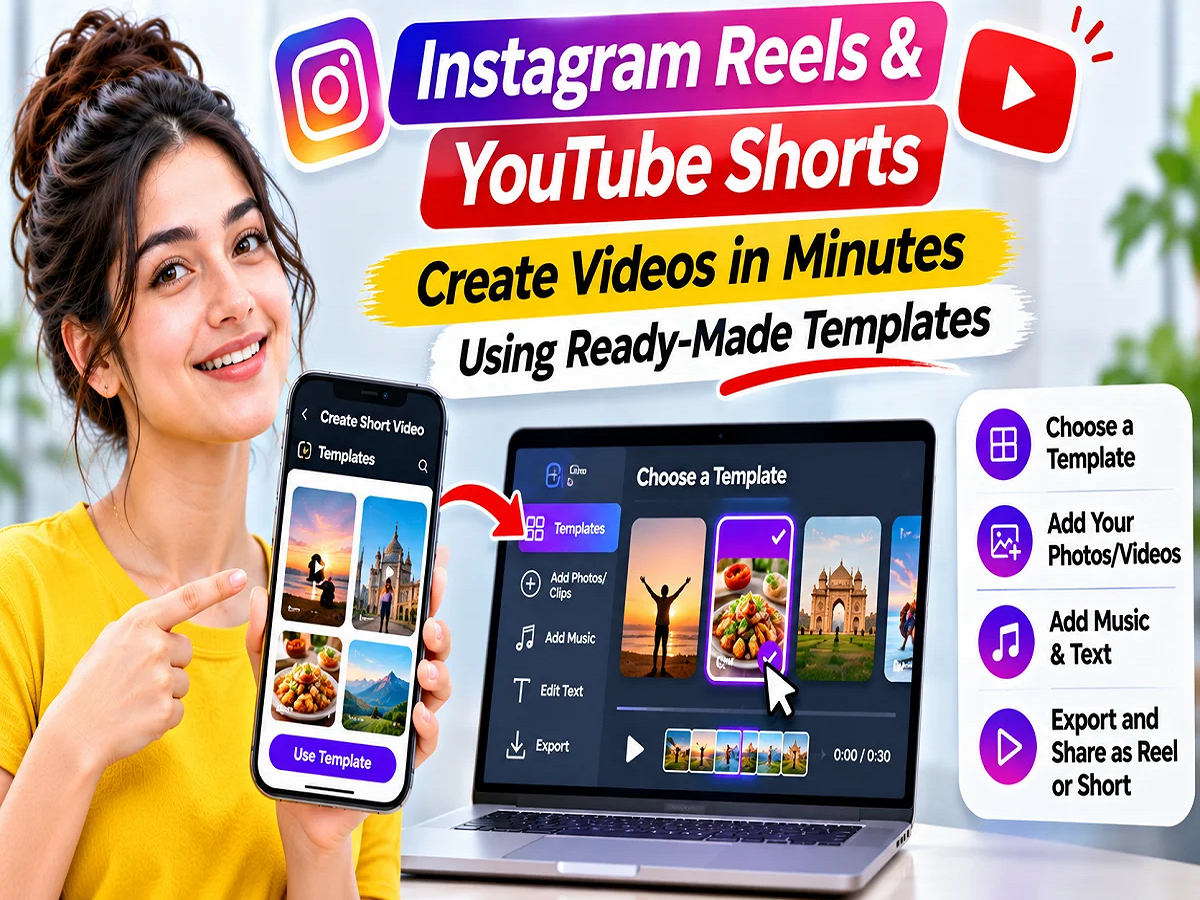
Instagram Reels and YouTube Shorts Templates: If you want to create Instagram Reels or YouTube Shorts but don't want to spend a lot of time editing videos, video templates can be useful. These ready-made templates already have the video clip's timing, music, transitions, and some effects set. Users simply need to add their own photos or videos and make the necessary changes. Both Instagram and YouTube offer the ability to create short videos from templates.
Short videos have become a trend on social media, with videos related to travel, food, fashion, fitness, technology, and everyday life being shared in large numbers.
However, choosing the right clips, combining them with music, and adding transitions to create an engaging video can be difficult for many.
In such situations, video templates simplify the editing process, allowing you to create well-organized videos without much technical knowledge.
What are Video Templates and how do they work?
A video template is a pre-made editing format that can contain settings such as the length of video clips, their order, music, and transitions.
For example, if a travel reel features five different video clips synced to the beat of the music, you can use that template to create five clips of your trip in the same pattern.
This reduces the need to set the timing and transitions of each clip from scratch.
However, the features and extent of editing available in the template depend on the respective app.
How to use templates in Instagram Reels?
Instagram provides its users with a built-in template feature to create Reels.
With its help, a new Reel can be created by adding your photos and videos to the already prepared video format.
Step 1: Open the Instagram app
First of all, open the Instagram app on your smartphone.
After this, tap on the plus (+) icon present on the screen.
Step 2: Choose the option to create a Reel
Now select Reel from the available options.
After this, find the option of Templates on the editing screen.
Step 3: Choose the template of your choice
Different video formats may appear in the Templates section.
Choose any template from these as per your need.
Step 4: Add photos and videos
Now tap on Add Media option.
After this, select your photo or video clip from the phone's gallery.
Add clips in the order you want them to appear in the Reel.
Step 5: Preview the video
After adding all the clips, tap Next.
Now preview the finished video.
If a clip doesn't look right, you can change it according to the available options.
Step 6: Edit and share the Reel
Finally, make the necessary changes.
You can add text, captions, or other elements according to the available features.
After this publish your reel.
How to use the second Instagram Reel template?
Many times while scrolling on Instagram, you come across a Reel whose music, transition or editing style you like.
In such a situation, you can create your video using the template of that Reel, provided that Reel is eligible for the template.
For this, open the relevant Reel on Instagram.
Now find the Use Template option that appears alongside the video.
If this option is available, tap on it.
Then add your photo or video clip and complete the necessary editing.
In this process, some of the timing and music settings from the original reel can be used in the new video.
Keep in mind that not every Instagram Reel offers the Use Template option. Template eligibility depends on the video's structure and other requirements.
How to use video templates in YouTube Shorts?
YouTube Shorts also allows users to create their own videos using the editing format of other eligible short videos.
YouTube's approach is a little different than Instagram's.
Here you can start creating a template from an existing Short.
Step 1: Open the YouTube app on your smartphone.
Step 2: Now go to the Shorts section.
Step 3: Choose a Short whose video format or editing style you like.
Step 4: Tap on the Remix option on the respective video.
Step 5: If Use this template option is available, select it.
Step 6: Now add your video clip in the slot provided.
Step 7: Preview the finished video and make the necessary changes.
Step 8: After editing is complete, upload your Short.
Some eligible Shorts on YouTube may also have the option to use a template directly.
This feature allows you to use the clip timing, order, and some other editing elements from the original video.
Credit can also be given to the original creator when videos are created using a template.
However, this feature isn't available on every Short. The Remix settings and eligibility of the original video are important.
Apart from Instagram and YouTube, which apps can be used to make short videos?
If you want to make more changes in video editing, you can also use other apps.
|
|
Reels Templates with Music and Clip Timing |
To create a quick reel |
|
YouTube |
Use of eligible Shorts video formats |
To create YouTube Shorts |
|
Meta Edits |
Editing tools, text, music, and transitions |
For more editing control |
|
Canva |
Ready-made video designs, animated text, and graphics |
For promotional and social media videos |
The features available in these apps may vary depending on the free or paid plan.
What are the benefits of creating videos with the Meta Edits app?
Meta's Edits app can be useful for creators who want to go beyond the standard template and make more changes to their videos.
With the help of editing tools available in this app, tasks like organizing clips, adding text and better mixing of videos with music can be done.
Apart from this, options can also be found to add transitions and other available effects to the video.
According to the source, videos can be exported from the Edits app without any additional watermark.
This feature can be useful for those who want to share their videos on different social media platforms.
How to create Instagram Reels and YouTube Shorts with Canva?
Canva is a design platform that offers many ready-made layouts for social media videos.
It can be used especially for creating product promotions, travel videos, educational content and business-related short videos.
Choose the video template that best suits your needs in Canva.
Then add your photos, video clips, and text.
Change animations, 'font-size:12.0pt;line-height:115%;"Times New Roman","serif"'>After editing is complete, you can export the video and upload it on the relevant platform.
However, some design, media assets, and editing features may require a paid plan.
What are the benefits of using video templates?
The biggest advantage of video templates is time saving.
For those who post content on social media daily or regularly, editing every video from scratch can be difficult.
With the help of templates, the timing of the clips and the structure of the video are predetermined.
This makes it easier for new creators to understand the process of making short videos.
Additionally, it can also help to coordinate clips with music and organize different scenes.
However, simply using a template doesn't guarantee that your video will go viral or get more views.
Keep these things in mind while creating Instagram Reels and YouTube Shorts
1. Keep the story of the video clear
Decide what you want to show viewers instead of just adding clips that look good.
For example, a travel video might first show a location, then activities there, and finally a key scene.
2. Check the timing of the clip
A clip can only appear for two seconds in a template.
If the clip contains more information, viewers may need more time to understand it.
Where editing allows, change the duration of the clip.
3. Add your identity to the video
Instead of completely copying another creator's video, include your own text, voiceover, or unique presentation.
This can make your content more original.
4. Be mindful of music copyrights
A song available on Instagram doesn't necessarily allow for the same use on YouTube.
So check the music license and audio availability before posting the same video on different platforms.
5. Preview the video before publishing it
Be sure to check the position of the text, audio levels, transitions, and cropping in the final video.
If the video has a watermark from another platform, it may be better to use your original file without the watermark.
Are Video Templates Free to Use?
Many of the built-in template features available on Instagram and YouTube can be used without purchasing separate editing software.
However, some third-party apps may charge a fee for premium templates, music, design assets, and specialized editing tools.
So, before you start making videos, check the features and charges of the respective app.
Conclusion
Video templates for Instagram Reels and YouTube Shorts are useful options for users who want to create engaging short videos in a short amount of time.
The Use Template option is available in the built-in Templates section on Instagram and on eligible Reels. Meanwhile, the Use this template feature can be used in YouTube Shorts via Remix.
If you need more editing control, apps like Meta Edits and Canva can also be useful.
However, for better content, it is important to focus on the right video clips, clear story, appropriate music and final editing.
PC: Rajasthan Khabre