
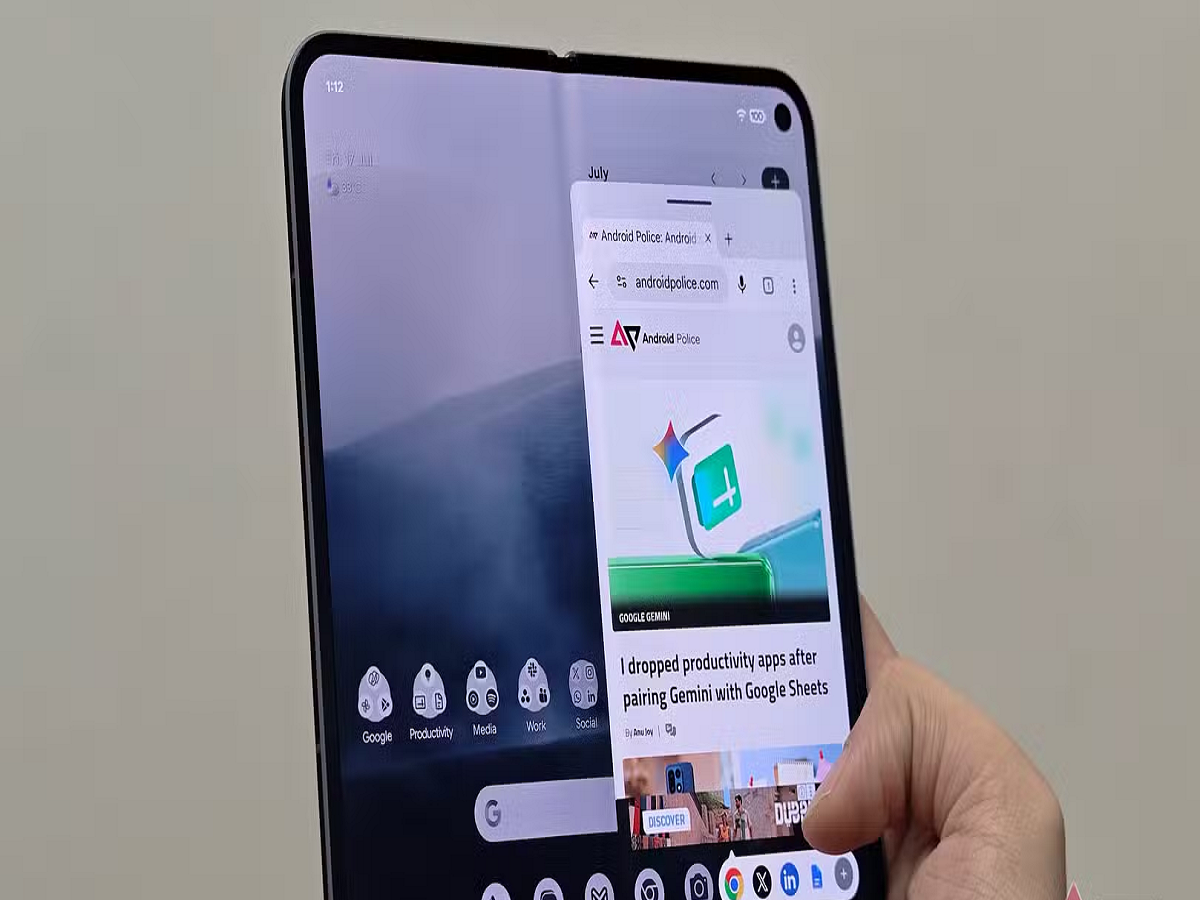
Android phones are getting smarter with every software update, but many useful features remain hidden inside the operating system. One of the most useful additions in Android 17 is an improved Bubbles feature that can make multitasking easier by keeping apps accessible in a floating interface. Google says the updated feature allows users to work with more than two apps, making it particularly useful when switching between different tasks.
What is the new Bubbles feature?
Bubbles were originally designed mainly for messaging apps. Android 17 expands the idea so users can access multiple applications through floating bubbles instead of repeatedly opening the recent-apps screen.
The bubbles can remain available while you use another application, allowing you to quickly return to an ongoing task.
For example, you could keep a messaging conversation accessible while browsing Chrome, checking a document or using another application.
How to use it
If your phone supports Android 17 and the feature is available for an app, look for the Bubble option when interacting with its notification.
You can then tap the bubble to open the conversation or supported activity in a floating interface.
The exact steps can differ depending on the phone manufacturer and the app.
A useful trick for people who multitask
This feature can be particularly useful if you regularly switch between two or more apps.
For example, you could:
- Keep a WhatsApp conversation accessible while browsing.
- Refer to information in one app while working in another.
- Keep an ongoing conversation available without leaving your current screen.
- Quickly switch between several supported apps.
Android 17 also introduces a new bubble-bar interface for foldable phones, where the larger display provides more room for multitasking.
You don't need a third-party multitasking app
One advantage of using Android's built-in tools is that you don't need to install an additional floating-window or multitasking application.
Third-party apps can sometimes require extra permissions or run additional background processes. If your phone already provides the feature through its operating system, the built-in option is generally the simpler choice.
Check whether your phone has Android 17
Android 17 began rolling out first to Pixel devices, with other eligible Android smartphones expected to receive the update during 2026. Availability of individual features can vary by manufacturer, model and software version.
So, if your phone has recently received Android 17, open its notification and multitasking settings and look for Bubbles. It could become one of the most useful shortcuts on your phone—especially if you frequently jump between multiple apps.


