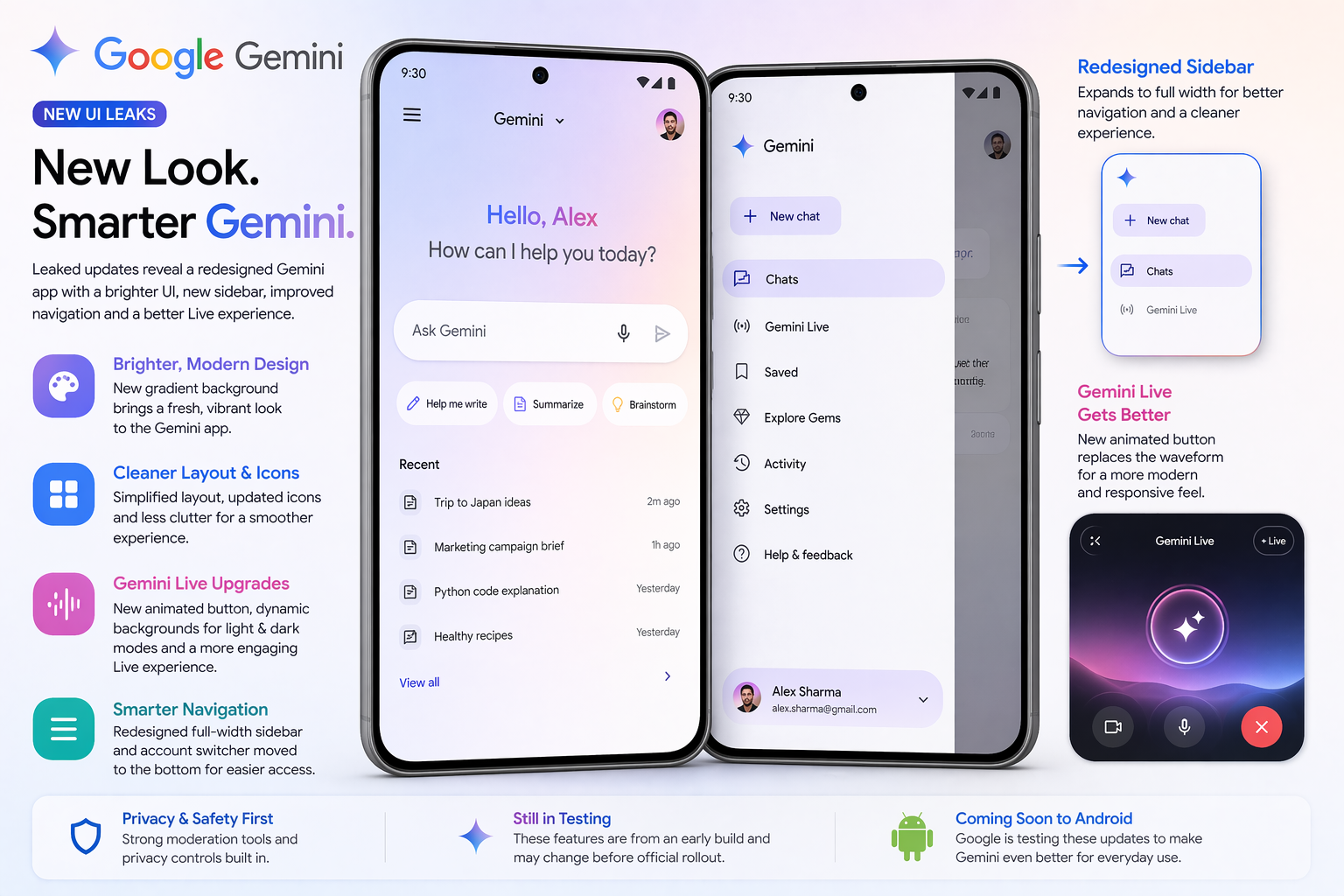
Google is reportedly working on a fresh redesign for its Google Gemini app on Android, and early leaks suggest a cleaner, brighter, and more user-friendly interface is on the way.
The update focuses on improving both the visual appeal and usability of the app, making everyday interactions smoother without changing its core functionality.
A Brighter, More Modern Look
One of the most noticeable changes is the updated "740" data-end="852">
- A soft gradient background
More vibrant color tonesA less “flat” and more polished visual style
These subtle design upgrades aim to give the app a modern feel while keeping it easy on the eyes.
Cleaner Layout and New Icons
The redesigned interface is expected to introduce:
- Simplified layout with less clutter
- Cleaner, more intuitive icons
- Better spacing for improved readability
This new structure will apply across:
- Regular chat screens
- Temporary conversations
- Gemini Live interface
The goal is to make navigation more straightforward and reduce visual distractions.
Gemini Live Gets a Refresh
The Gemini Live feature—used for real-time interactions—could also see key improvements.
Leaked changes suggest:
- Different background styles for light and dark modes
- A more dynamic visual experience instead of a static look
- A new animated button replacing the current waveform-style voice indicator
This updated design could make voice interactions feel more responsive and engaging.
Redesigned Sidebar for Better Navigation
Navigation is getting a major upgrade with a revamped sidebar:
- Sidebar may expand to full screen width when opened
- Improved organization of menu items
- Account switcher likely moved to the bottom, making the interface cleaner
These changes are expected to make switching between accounts and accessing features much easier.
Focus on Simplicity and Usability
Unlike major feature overhauls, this update is all about refinement. Google appears to be focusing on:
- Better user experience
- Faster navigation
- Cleaner design language
Even small UI tweaks can significantly improve how users interact with AI tools daily.
Availability and Rollout
The new design is currently in the testing phase, discovered through early versions of the app. Since it hasn’t been officially released yet:
- Some features may change before rollout
- Certain elements might not make it to the final version
Final Takeaway
The upcoming redesign of Google Gemini shows Google’s continued focus on enhancing user experience through thoughtful design improvements.
With a brighter interface, smarter navigation, and refined live interaction tools, the update could make Gemini more intuitive and enjoyable to use—without altering what users already love about the app.