LIFESTYLE
What does USB stand for? Learn about the shape, function, and speed of each port, from Type A to C
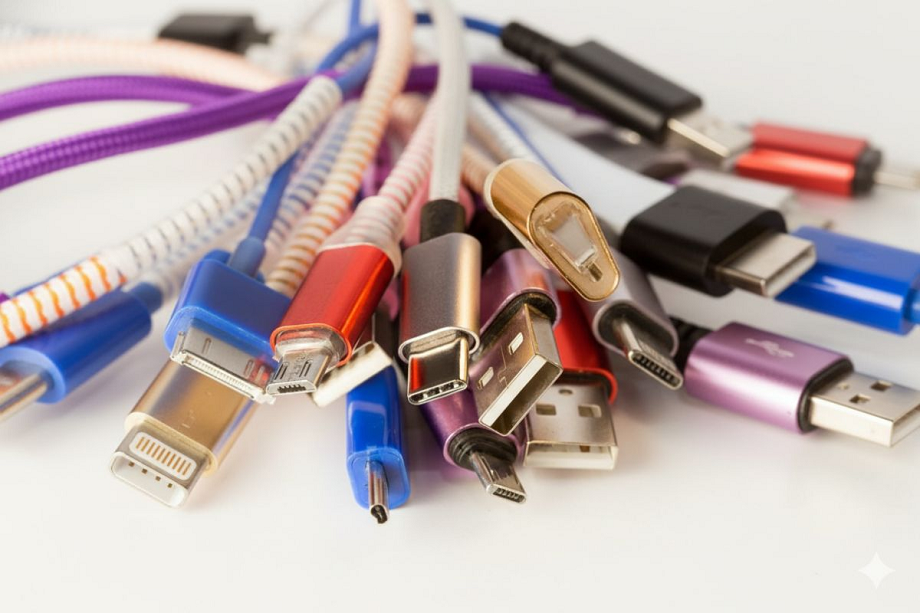
USB cables and ports have become an integral part of our everyday lives. Whether it's charging a phone or connecting a device to a computer, USB is used everywhere. But do you know what USB stands for and what Type-A, Type-B, and Type-C are? Let us explain.Nowadays, most of us use a USB cable at least once a day. Whether it's charging our phones or connecting devices to our computers, USB has become a commonplace in our technology-filled everyday lives. But have you ever wondered what USB stands for? Let us explain in detail.
What is USB?
USB stands for Universal Serial Bus. It's a common connection used in smartphones, laptops, and many everyday gadgets. It allows data transfer, charging, and, in some cases, even video playback. USB ports are commonly found on computers, mobile phones, and a variety of accessories.
But it's also important to note that not all USB ports are created equal. Some offer faster charging, some support faster data transfers, and some even enable features you might not even know about. Furthermore, varying names, various shapes, and changing standards like Type-A, Type-C, and Micro USB often confuse people.
USB Type-A and USB Type-C ports: Shape and speed
The biggest differences between USB Type-A and USB Type-C ports are their design, features, and usage. Type-C is considered more useful in today's newer devices, while Type-A ports are still common in older computers and hardware. Newer smartphones, laptops, and chargers now mostly feature Type-C ports.
A Type-A port is straight and rectangular (approximately 12mm wide) and allows cable insertion in only one direction. A Type-C port is smaller, oval (approximately 8.4mm x 2.6mm) and can be inserted from both sides, making it easier to use.
Additionally, devices connected to a USB Type-A port can also receive power, but the power output is significantly lower. Typically, a USB 2.0 port provides around 2.5 watts, while a USB 3.0 port provides a maximum of 4.5 watts.
The capacity of a USB-C port depends on the USB version and Power Delivery (PD) it supports. USB-C is more advanced than USB Type-A, as it works with all USB versions, including USB4 2.0, and can also deliver faster data transfer speeds of up to 80 Gbps.
USB Type-B, Type-B Mini, and Type-B Micro ports
USB Type-B, Mini-USB (Type-B Mini), and Micro-USB (Type-B Micro) are older types of USB ports. You can still find them in printers, monitors, dash cams, MIDI controllers, and some inexpensive gadgets. However, they are gradually being replaced by the newer and more useful USB-C port.
Standard USB Type-B
USB Type-B ports are typically square-shaped (as in USB 2.0), while USB 3.0 ports are slightly larger with a slight bulge at the top. They are much stronger and don't come loose easily. Data transfer speeds are similar to Type-A, and they supply basic 5V power.
Mini-USB (Type-B Mini)
Mini-USB is a smaller version of the Type-B port. It was widely used in older cameras and MP3 players before the advent of USB-C. It only delivers up to 2.5W of power and offers speeds of up to 480 Mbps according to USB 2.0. These ports are fragile and are now rare.
Micro-USB (Type-B Micro)
Micro-USB is the smallest port in the Type-B series, with a straight bottom and a rounded top. Until around 2020, it was used to charge most Android phones. It can deliver up to 24W of power with Quick Charge and supports OTG, allowing for connecting accessories. Its USB 3.0 Micro-B version offers faster speeds of up to 5 Gbps, making it also used in older external drives.
PC:Prabhat Khabar