TECH
WhatsApp's new feature! You can read entire messages without opening the chat, and the blue tick won't be visible
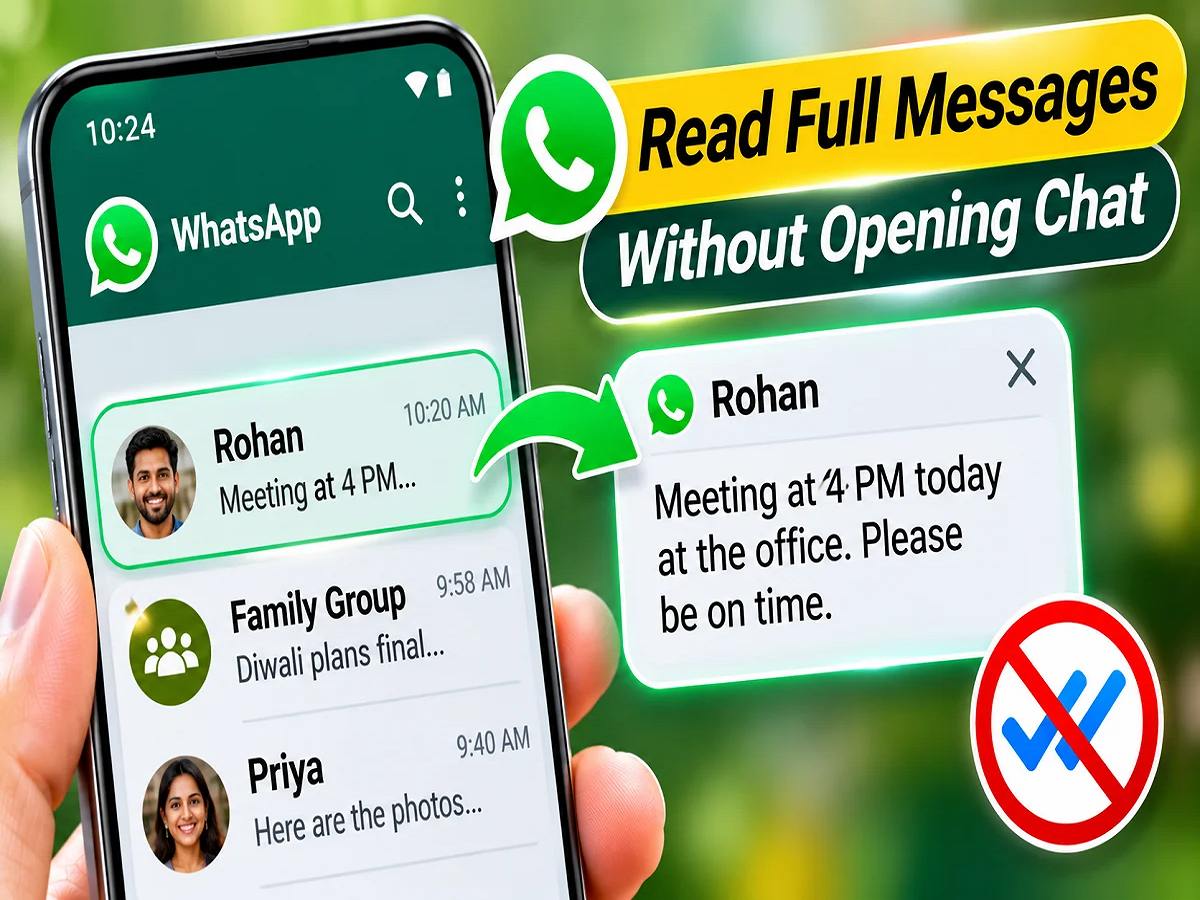
WhatsApp New Feature 2026: If you want to read incoming messages on WhatsApp but don't want to let the other person know, a useful feature may soon be available. WhatsApp is developing a new Chat Preview feature for its Android users. This feature will allow users to view recent messages in a conversation without opening it fully. The special thing is that viewing messages this way won't show the other person a blue tick.
According to reports, this feature is already available on iPhones, but the Android version being developed may include some additional features. However, WhatsApp has not yet announced an official launch date.
What will be special in WhatsApp's new Chat Preview feature?
WhatsApp's proposed Chat Preview feature could be useful for those who want to read a message quickly but are not in a position to reply immediately.
With this feature, Android users will need to long-press on a chat, which will open a small floating window on the screen, displaying the latest messages from that conversation.
The biggest advantage of this is that you won't need to open the entire chat to view messages. According to reports, messages read through the preview will not be marked as read as normal.
Hints of new features found in Android beta version
According to the report of technology website Android Authority, hints related to this new feature have been found in the code of WhatsApp's Android beta version 2.26.44.12.
The report claims that the feature was activated and its functionality was observed before its official release. WABetaInfo, a website that tracks WhatsApp updates, also reported on the development of this feature.
However, this feature isn't available to general users yet. According to WABetaInfo, it hasn't even been released to beta testers yet.
So Android users will have to wait for future updates to use it.
Android's new feature could be even better than the iPhone
Chat previews are already built into the iPhone version of WhatsApp. iPhone users can long-press on a conversation to view its recent messages in a pop-up window.
However, this feature has a limitation on the iPhone. The preview window can't be scrolled. So, if someone has sent multiple messages or written a long message, it can be difficult to read the entire conversation.
According to reports, the scrolling option may be included in the new feature being prepared for Android.
This will allow users to scroll up and down in the preview window to read more messages. If this feature makes it to the final version, the chat preview experience on Android could be better than on iPhone in some respects.
How can you read WhatsApp messages without sending a blue tick?
A blue tick on WhatsApp means the other person has read your message. Many users turn off Read Receipts to maintain their privacy.
But there's a limit to disabling this setting. When you turn off Read Receipts for individual chats, you generally won't see read notifications from other people. Furthermore, read receipts behave differently in group chats.
The new Chat Preview feature could provide an alternative solution to this problem.
According to reports, users will be able to view messages in the preview window without turning off Read Receipts. Blue ticks will not be sent for messages read through Preview until they open the conversation normally.
However, its final functionality will be clear only after the official launch of the feature.
WhatsApp's chat menu is also set to change.
Along with the new chat preview feature, WhatsApp may also revamp the context menu of its Android app.
Currently, on Android, long-pressing a chat selects it, and options like pin, archive, mute, and delete appear at the top of the screen.
In the new system, these options can be seen below the chat preview card.
Various reports have provided information on possible menu options.
|
Pin Chat |
Keeping important conversations top of mind |
|
Archive Chat |
Keep chats out of the main list |
|
Mute Notifications |
Turn off chat notifications |
|
Mark as Read/Unread |
Change the read status of a conversation |
|
Delete Chat |
delete conversation |
|
Lock Chat |
Adding extra security to your chats |
|
Add to List |
Add a conversation to a list |
|
Chat Info |
View conversation details |
According to WABetaInfo, some additional options could also be placed in the 'More Options' section. These could include features like chat lock, chat information, and home screen shortcuts.
It's worth noting that the menu options are not exactly the same across different reports, so their appearance may change in the final update.
How to turn off blue ticks on WhatsApp right now?
Until the new Chat Preview feature is available, users can use the existing privacy settings.
For this, follow these steps:
- Open WhatsApp on your mobile.
- Go to the Settings of the app.
- After this select Privacy option.
- Here find the option of Read Receipts.
- To turn off blue ticks, turn this option off.
After turning this setting off, the other person in your private chat won't see the blue tick mark for your messages being read. However, you won't be able to see others' read receipts either. Different rules may apply in group chats and certain other situations.
When will Android users get the new WhatsApp update?
Currently, no official announcement has been made by WhatsApp regarding the release date of the Chat Preview feature.
Reports indicate that the company is working on this feature internally. It may be available for testing in upcoming beta updates, but no specific timeline has been revealed.
It's also possible that changes may be made to a feature's design, options, or functionality during testing. It's also not guaranteed that a feature under development will be included in the final app.
Why can this feature prove useful for users?
Today, WhatsApp is used for personal conversations as well as for work, business, education, and other important purposes. Often, the constant flow of messages can make it difficult for users to open every conversation.
In such situations, the new Chat Preview feature could provide a more convenient way to read messages. In particular, the ability to scroll through long conversations could save users time.
Additionally, this option can also be useful for those who don't want to feel pressured to respond immediately after reading a message.
Conclusion: WhatsApp's proposed Chat Preview feature could transform the message reading experience for Android users. Key features include viewing messages without opening the chat, avoiding blue ticks, and scrolling in the preview window. However, this feature is currently in development. Therefore, users should await WhatsApp's confirmation regarding its official availability and final features.