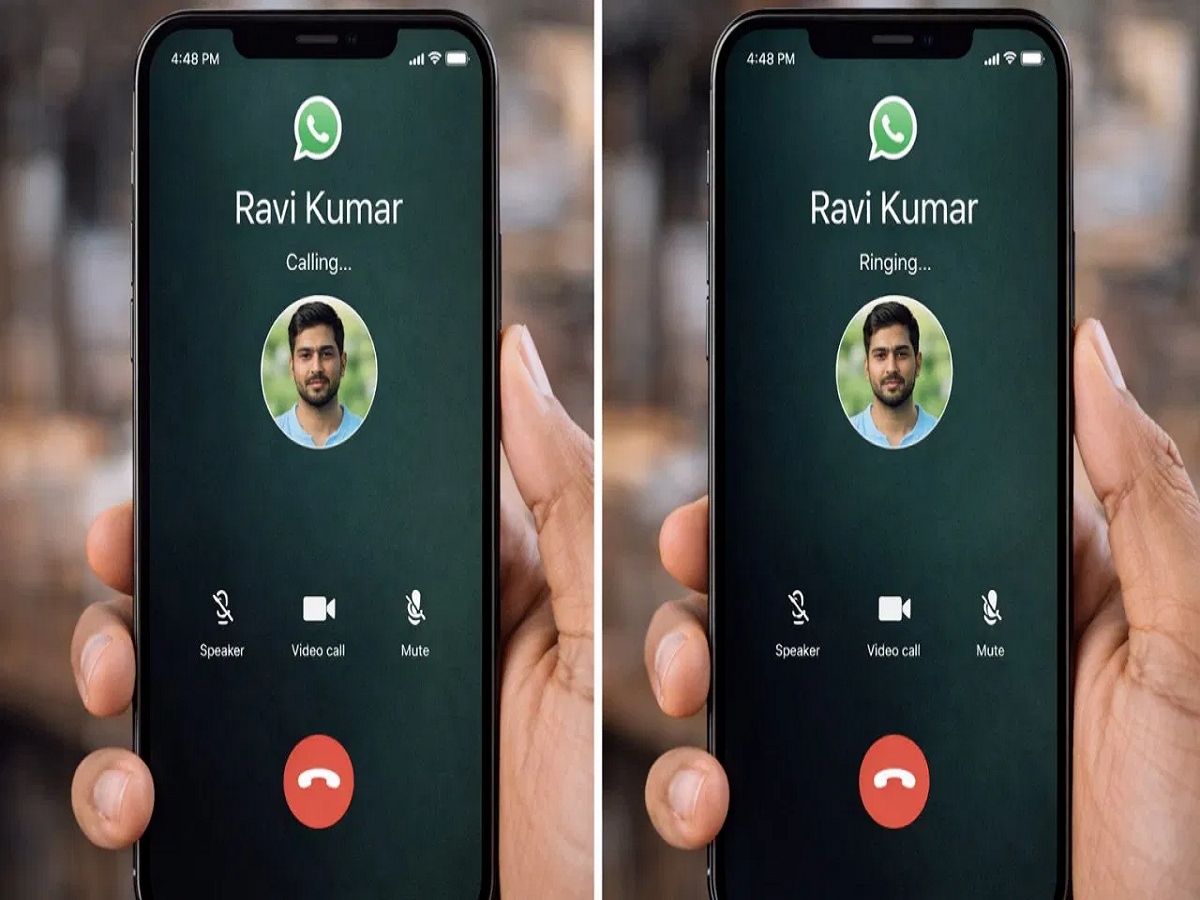
If you use WhatsApp regularly, you may have noticed two different statuses while making a call—“Calling” and “Ringing.” Many users get confused about what these actually mean. Understanding the difference can help you know what’s happening on the other person’s phone.
What Does “Calling” Mean?
When your screen shows “Calling,” it means WhatsApp is trying to connect your call to the other person’s device.
This usually happens when:
-
The other person’s mobile data or Wi-Fi is turned off
-
There is a poor or unstable internet connection
-
The other person’s phone is switched off
-
WhatsApp is unable to reach the user’s device due to network issues
In short, “Calling” means the call has not yet reached the other person’s phone.
What Does “Ringing” Mean?
When the status changes to “Ringing,” it means your call has successfully reached the other person’s phone.
This indicates that:
-
The other person’s internet is working
-
Their phone is on and connected
-
Their phone is actively ringing
If it keeps showing “Ringing” but the call is not answered, it simply means the person is busy, away from the phone, or choosing not to pick up.
Simple Difference at a Glance
-
Calling = Call not delivered yet (internet or phone issue)
-
Ringing = Call delivered and phone is ringing
Final Tip
If you see “Calling” for a long time, switching to a normal cellular call might be the only option. But if it says “Ringing,” you can be sure the other person’s phone is reachable—you just need to wait.