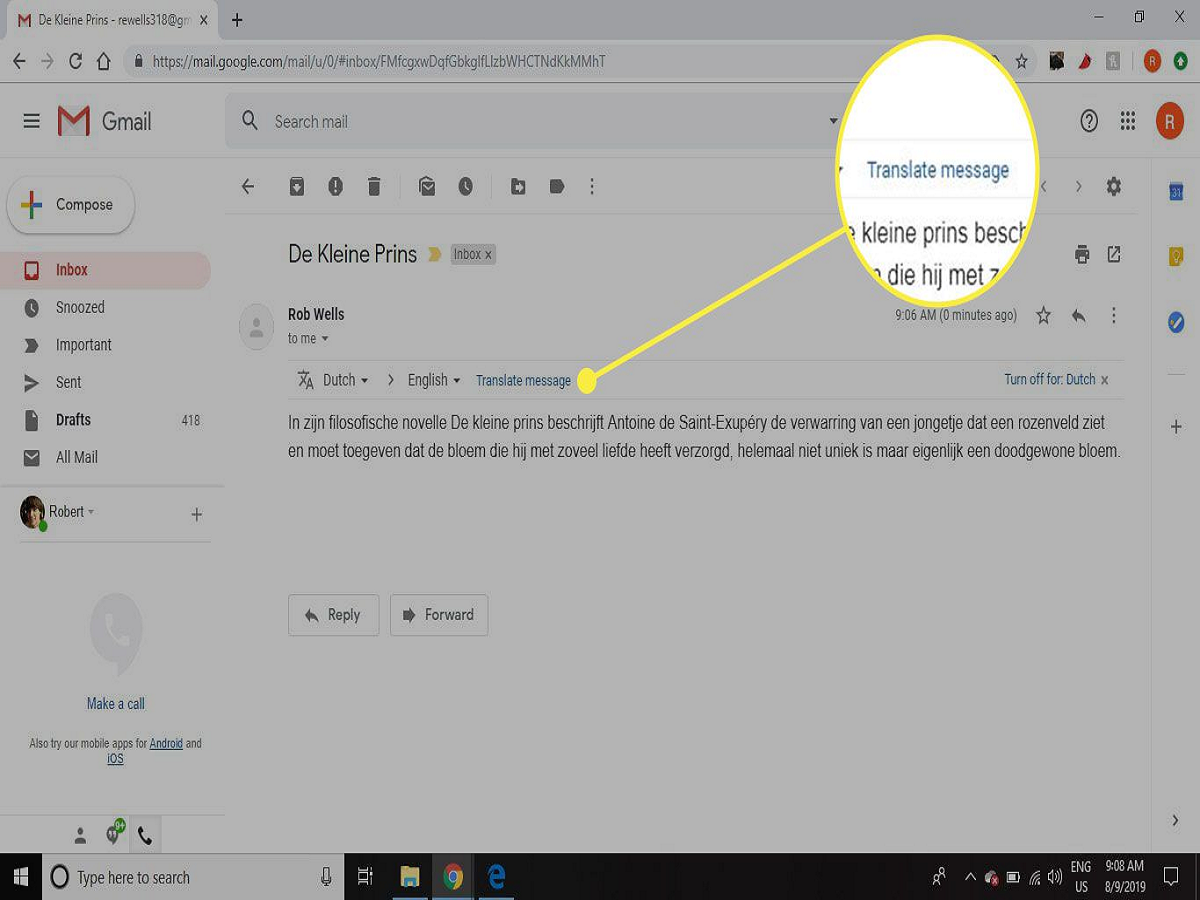
In today’s digital era, communication frequently happens across different countries and cultures. Emails often arrive in languages that we may not understand. This can create confusion and slow down communication, especially for professionals, students, and businesses dealing with international contacts. To make communication easier, Gmail has introduced a built-in translation feature in its mobile application that allows users to translate emails directly within the app.
Earlier, users had to rely on external translation tools or copy the text from emails and paste it into translation websites. While Gmail’s web version already offered translation features, the functionality has now been expanded to the Gmail mobile app as well. Whether you are using an Android smartphone or an iPhone, you can now read emails written in foreign languages without leaving the Gmail app.
The feature automatically detects the language used in the email and provides a quick translation option. This means users can instantly understand the content without any extra effort. It is particularly useful for people who frequently receive emails from global clients, international colleagues, or institutions abroad.
If you want to know how to translate emails in the Gmail mobile app, follow the simple step-by-step instructions below.
Step-by-Step Guide to Translate Emails in the Gmail App
1. Launch the Gmail App
Begin by opening the Gmail app on your smartphone. Make sure you are signed in to your Gmail account. The translation feature works within the app interface, so you do not need to install any additional tools.
2. Open the Email Message
Next, go to your inbox and find the email written in another language. Tap on the message to open it and view its contents.
3. Tap the Three-Dot Menu
Look at the upper right corner of the email screen. You will see a three-dot icon that opens additional options. Tap this icon to access the menu.
4. Select the Translate Option
From the dropdown menu, choose the Translate option. Once selected, Gmail will activate its translation feature for that particular email.
5. Choose Your Preferred Language
After enabling translation, a list of available languages will appear. Select the language you want the email to be translated into.
6. Read the Translated Email
Once the language is selected, Gmail automatically converts the email text into the chosen language. The translated version will appear instantly on your screen, allowing you to read and understand the content easily.
Useful Tips While Using Gmail’s Translation Feature
Translation Banner May Reappear
If you accidentally close the translation banner, Gmail can display it again when it detects that the email is written in a language different from your default settings.
Disable Translation for Certain Languages
Users who frequently read emails in a particular foreign language can disable translation for that language by selecting the “Don’t translate this language again” option.
Manual Translation Option
Sometimes Gmail may not automatically detect the language. In such cases, you can manually translate the email using the translation option available in the three-dot menu.
Important Points to Remember
While Gmail’s translation tool is convenient, there are a few things users should keep in mind:
-
The feature may still be rolling out gradually, so some users might not see it immediately.
-
Translation accuracy may vary depending on the language and complexity of the text.
-
For official documents such as legal or technical emails, it is advisable to double-check the translation.
-
Gmail translates one email at a time, meaning each message must be translated individually.
Keeping the Gmail app updated ensures you receive the latest features and improvements, including enhanced translation accuracy.
Final Thoughts
Gmail’s built-in translation feature is a powerful tool for breaking language barriers in email communication. Instead of switching between apps or copying text to external translators, users can now read translated messages directly inside Gmail. This makes communication faster, smoother, and far more convenient.
Whether you are managing global business emails or simply reading messages from friends in different countries, Gmail’s translation option ensures you never miss important information because of language differences.