TECH
Netflix Account Safety 2026: Is someone else using your Netflix? Find out how and remove unknown devices immediately
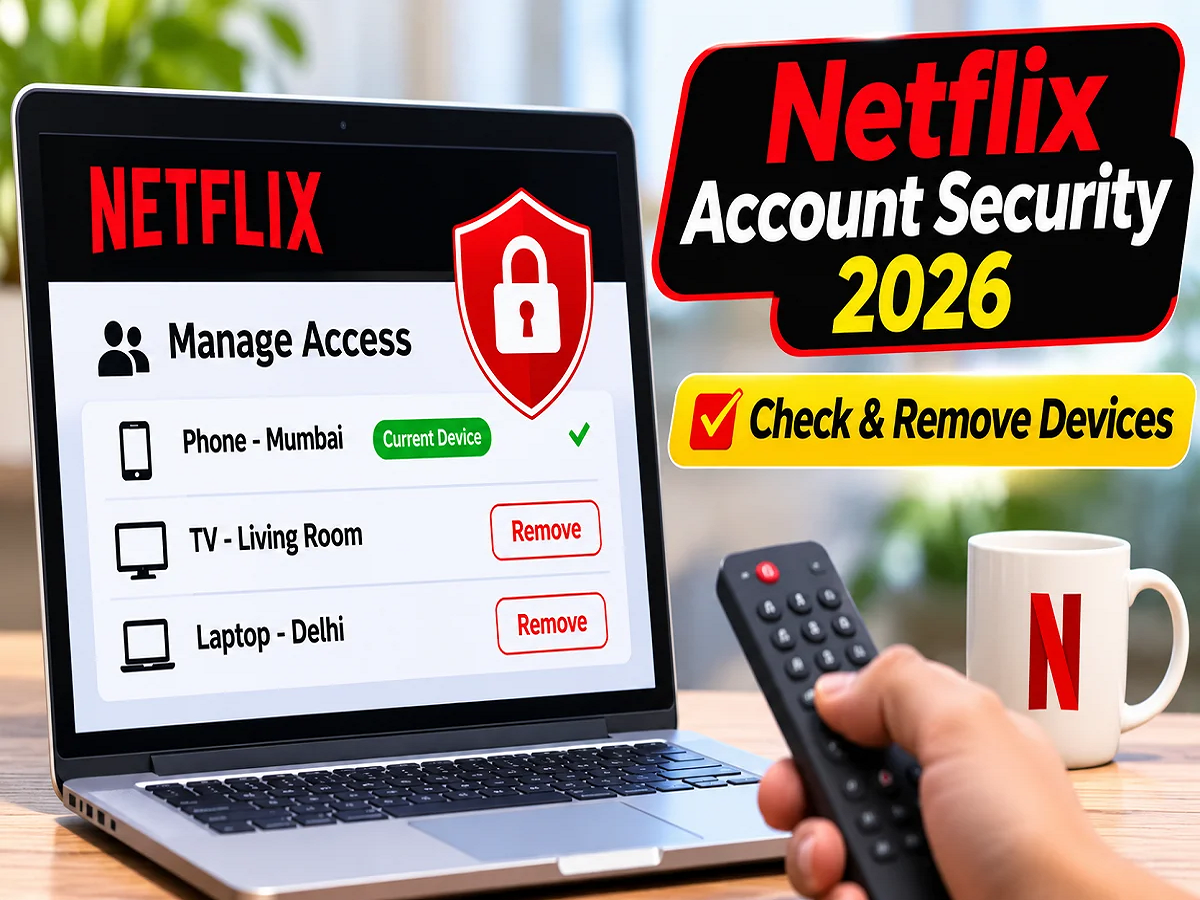
Netflix Account Security Tips 2026: If you're suddenly seeing unknown movies on your Netflix account, your viewing history has changed, or you're receiving a message about reaching your screen limit for no apparent reason, don't ignore it. It's possible someone else is using your account. This could compromise your privacy and threaten your account's security. Fortunately, Netflix has a feature that allows you to view information about devices linked to your account and log out unknown devices. Let's explore the entire process.
What can happen if someone else is using your Netflix account?
OTT platforms have become a vital part of entertainment these days. Millions of people use services like Netflix to watch movies, web series, and other programs.
But sometimes users share their accounts with friends or acquaintances. In some cases, weak passwords or stolen login information can give strangers access to their accounts.
If someone else has access to your account, they can view your watch history and profile information. Depending on the account settings, some personal details may also be exposed.
Additionally, watching another person's videos continuously may impact your subscription plan's simultaneous streaming limit.
Identify Netflix account errors with these signs
If you notice some unusual activity on your Netflix account, you should check the account.
1. Unnecessary screen limit
If no one in the house is watching Netflix, but you see a message about excessive screen usage when playing a video, you may need to check which devices the account is logged into.
2. Unknown movies and web series appear
Netflix recommends content based on your preferences and viewing habits. If shows you've never watched suddenly start getting recommended, someone else's activity could be the reason.
3. Changes to Watch History
If your account history shows movies or series that you or a family member hasn’t watched, it could be a sign of unauthorized use.
4. Change of status of incomplete series
If you watched a few episodes of a web series, but the viewing status has changed the next time you log in, it's possible that someone else used the same profile.
5. Unknown devices appear
Seeing smartphones, smart TVs, or other devices you don't recognize on your account is a significant reason for security checks.
However, none of these signs alone are proof of a hacked account. A family member or an old device used previously could also be the culprit.
How to check which devices your Netflix account is running on
Netflix has a feature to view account access information, allowing you to check which devices have recently used your account.
Step 1: Open the Netflix app
First, open the Netflix application on your Android smartphone, iPhone, or iPad.
After this login to your account.
Step 2: Go to the profile section
Tap on the profile icon that appears in the app.
After this open the 'My Netflix' section.
Step 3: Open Account Settings
Now tap on the menu icon and select 'Account' from the available options.
In some app versions, account settings can also be opened through the browser.
Step 4: Select the Access and Devices option
Find the 'Devices' section in the account settings.
Under this, tap on the 'Access and Devices' option.
You will now see information about the devices that recently accessed the account.
Step 5: Identify the device
Check the device type and other available details in the list.
Match these to the smartphones, TVs, tablets, and computers you use at home.
If a device is not recognized, pay attention to its activity.
How to remove an unknown device from Netflix?
If you think someone unknown is using your account, the relevant device can be logged out.
For this, follow the procedure given below.
- Go to the 'Access and Devices' section of Netflix.
- Find the device you don't recognize in the list.
- Open the options or dropdown menu available next to the respective device.
- Select the 'Sign Out' option.
- After this that device will be logged out from your account.
Keep in mind that simply removing the device isn't always enough. If the other person has your password, they may try to log in again.
Therefore, it is also important to change the password if any suspicious activity is detected.
How to secure your Netflix account by changing your password?
If you suspect an unauthorized login to your account, create a new password immediately.
For this, go to Netflix's account settings and use the password change option.
When creating a new password, keep the following in mind:
- Keep your password at least 8 characters long. Choose a longer password for better security.
- Use capital and small English letters.
- Include numbers and special symbols in the password.
- Avoid using your name, date of birth or mobile number in your password.
- Keep a password that you haven't used on any other website or app.
Using the same password for different online accounts can increase security risks.
If login information is stolen from one website, criminals can try the same password on other platforms as well.
How to log out of Netflix from all devices at once?
If you're unsure which device is unknown, Netflix also has an option to sign out of all devices.
Using this feature logs out the devices associated with your account.
After this, you will have to login again on the devices on which you want to use Netflix.
For security, it is better to change the password first and then sign out from unknown or all devices.
This can reduce the risk of re-accessing the account using the old password.
Netflix India Plans 2026: Which plan has how many screens you can watch videos on?
Different Netflix subscription plans have different simultaneous viewing limits.
The Indian plan information given in the original article is as follows:
|
Mobile |
₹149 |
1 mobile or tablet |
|
Basic |
₹199 |
1 supported device |
|
Standard |
₹499 |
2 devices |
|
Premium |
₹649 |
4 devices |
Video quality is said to be available in 480p in Mobile plan, 720p in Basic, 1080p in Standard and up to 4K Ultra HD in Premium.
Plan prices and features may change over time, so be sure to check the current information on Netflix's official website before subscribing.
If your plan only allows one screen at a time and a video is already playing on it, it can be difficult to start streaming on another device.
What to do if your Netflix account is hacked?
If suspicious activity continues to appear on the account after changing the password and removing unknown devices, take extra precautions.
First, check the security of the email associated with your account.
If you've used your Netflix password on any other website, change the password there as well.
Then check the contact details and payment information available in the Netflix account.
If the password won't reset or you lose control of the account, get help from the official Netflix Help Center.
For this, the website https://help.netflix.com/ can be used.
Also keep in mind the Netflix Household rules
Netflix's service is generally designed for use by people living in the same household.
If the account is used by others living outside the household, the platform's household usage policies may apply.
Device verification or other account-related actions may be required in some circumstances.
Therefore, you should avoid sharing your account login information unnecessarily.
Do these things regularly to keep your Netflix account safe
Digital security isn't just about changing passwords.
It may be useful to check the 'Access and Devices' section of the account from time to time.
Log out old or unused devices.
Don't enter your Netflix password on an unknown link. Also, be wary of login links provided in suspicious emails or messages.
If you notice any unusual activity on your account, investigate it immediately.
Having an unknown device log into your Netflix account not only disrupts your entertainment but can also compromise the security of your personal information.
If your watch history suddenly changes, unknown content appears, or you get a message about your screen limit being reached, be sure to check your account.
Netflix's "Access and Devices" option can identify suspicious devices. Logging them out and creating a strong password can help keep your account more secure.
https://www.iforex.in/landing_pages/br1/hi/IndiaBoomingGGL
PC: Rajasthan Khabre