With the rapid growth of social messaging platforms, WhatsApp has expanded beyond simple chats and calls. One of the most notable additions in recent years is the WhatsApp Channels feature, which allows individuals, brands, and organizations to broadcast updates to a large audience. This feature is designed to help creators and businesses share news, announcements, and other important updates in a streamlined way.
Owned by Meta, WhatsApp first introduced Channels in selected markets and later expanded the feature globally, including in India. The company describes Channels as a private and reliable broadcast tool that enables users to receive updates from people and organizations directly inside the app.
Unlike regular WhatsApp groups or chats, Channels work as a one-way communication system. This means only the channel administrator can post updates, while followers simply receive the content without participating in conversations. This structure keeps the feed clean and focused on announcements or information.
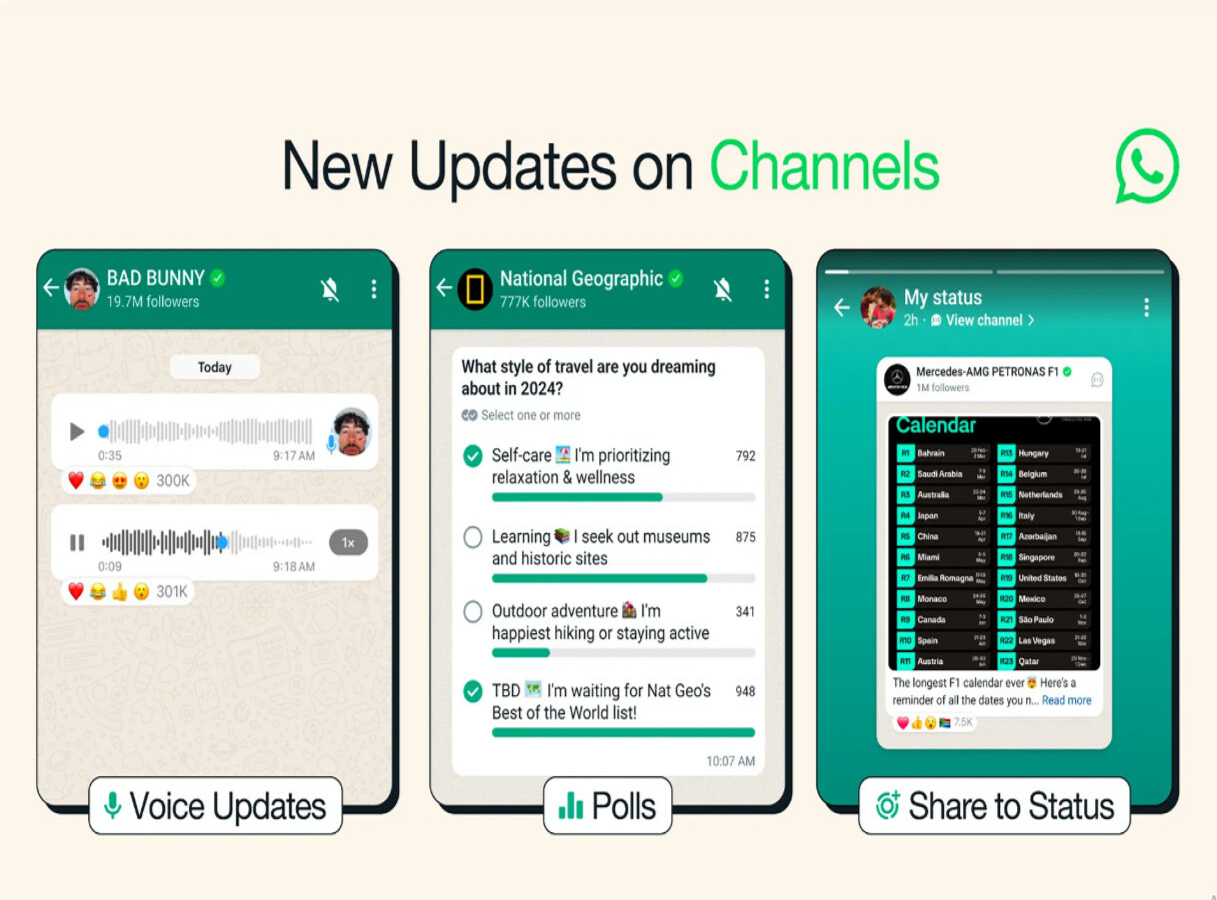
Channels can include a variety of content formats such as text messages, images, videos, stickers, and polls. Followers can react to updates but cannot send messages in the channel itself. WhatsApp is also developing a searchable directory where users can discover channels based on interests such as sports teams, hobbies, public updates, news, and more.
If you want to share updates with a larger audience, creating your own WhatsApp Channel can be a useful option. The process is straightforward and works on both Android and iOS devices. Below is a simple step-by-step guide to help you create a WhatsApp Channel.
What Is WhatsApp Channels?
WhatsApp Channels is a broadcast feature located in the Updates tab of the app. It allows administrators to send information to followers in a structured feed.
Users can follow channels created by celebrities, organizations, media outlets, government bodies, or individual creators. They can also join channels using invitation links shared through chats, emails, or websites.
The main goal of the feature is to provide a secure and clutter-free way to receive updates without mixing them with personal conversations.
Step-by-Step Guide to Create a WhatsApp Channel
1. Open WhatsApp and Access Channels
Start by opening the WhatsApp application on your smartphone. Navigate to the Updates tab and tap on the Channels section.
2. Tap the Plus (+) Icon
In the Channels section, you will see a “+” icon. Tap it and select Create Channel.
3. Continue Through the On-Screen Instructions
WhatsApp will show a brief introduction explaining how channels work. Tap Continue and proceed through the prompts.
4. Enter Your Channel Name
Now add a name for your channel. This name will represent your channel and help followers identify it. You can edit the name later if needed.
5. Customize Your Channel
After creating the channel name, you can personalize the channel by adding additional details.
-
Add a description: Write a short explanation of what your channel is about so people understand the type of updates they will receive.
-
Add a channel icon: Upload an image from your phone or choose one from the web to make your channel visually recognizable.
6. Tap “Create Channel”
Once you complete the setup, tap Create Channel, and your WhatsApp Channel will be ready to use.
Tips to Grow Your WhatsApp Channel
If you want more followers on your channel, consider these tips:
-
Share your channel link on social media platforms.
-
Post regular and meaningful updates for your audience.
-
Use images, polls, and videos to increase engagement.
-
Promote the channel through your website or newsletters.
Consistency and relevant content can help attract more followers over time.
Final Thoughts
WhatsApp Channels are transforming the messaging platform into a powerful broadcasting tool. Whether you are a content creator, business owner, or community leader, the feature offers a simple way to connect with a large audience.
As the feature continues to expand globally, more users and organizations are expected to adopt WhatsApp Channels for sharing updates and announcements. By following the steps above, you can easily create your own channel and start reaching followers directly within WhatsApp.