TECH
WhatsApp Secret Code: Now no one will see your private chat, hide messages with this easy setting
WhatsApp Privacy Tips 2026: Nowadays, WhatsApp is used not only for communicating with friends and family, but also for work, business, and sharing important information. Therefore, we often have personal conversations on our phones that we want to keep out of the public eye. If your phone is ever used by family members, friends, or coworkers, a special privacy feature in WhatsApp can be useful.
WhatsApp's Chat Lock and Secret Code features allow you to protect your private conversations and hide them from the main chat list. The key thing is that to view hidden chats again, you need to enter a special code in WhatsApp's search bar.
Let us know how this feature of WhatsApp works and how it can be activated in your mobile.
What is WhatsApp Secret Code feature?
WhatsApp's Secret Code is a privacy feature that provides additional security to locked conversations. The standard Chat Lock feature may require fingerprint, face authentication, or your phone's passcode to open a chat.
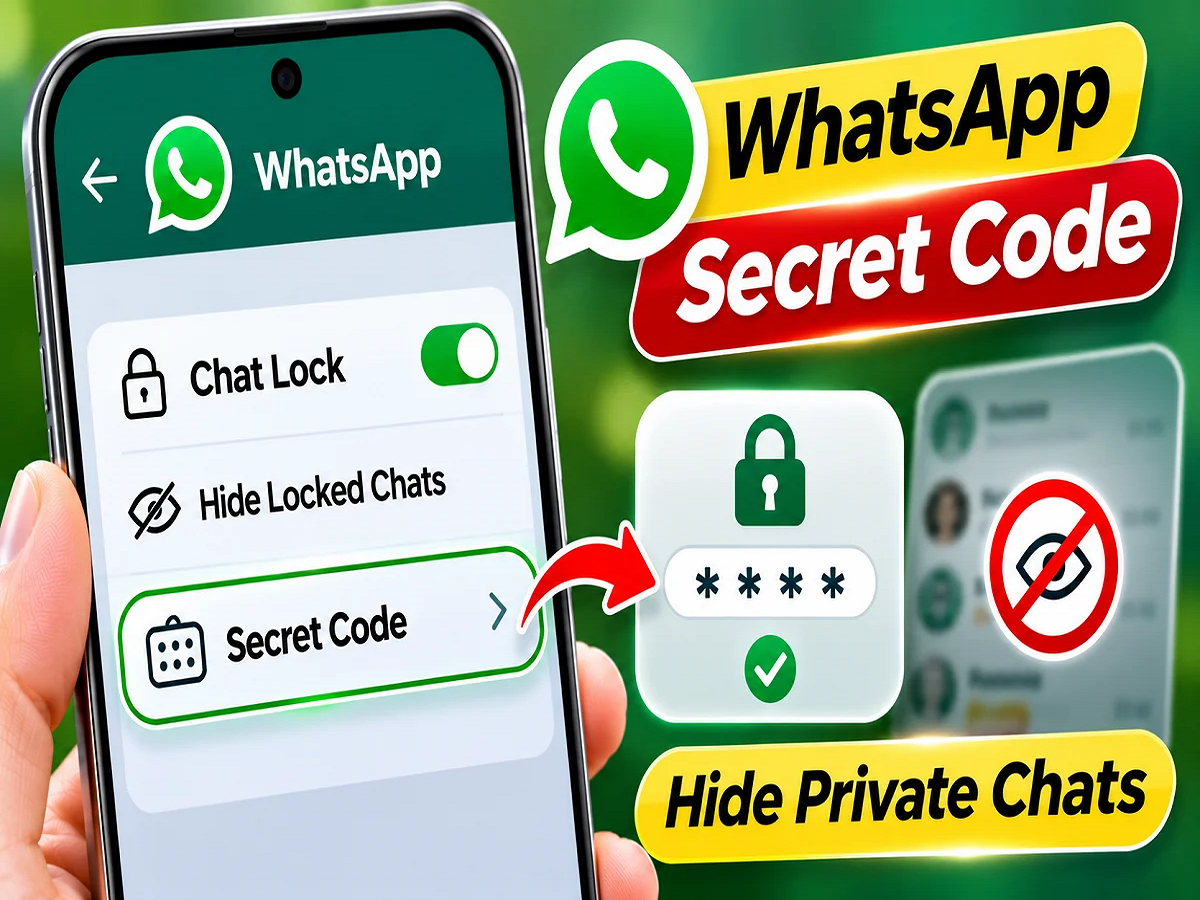
But by using Secret Code you can also hide the Locked Chats folder from the main chat screen.
This means that if someone views your normal WhatsApp chat list, they won't be able to easily see the hidden conversation.
The user can create a separate secret code, which is convenient for them, and can be different from the password or PIN used to unlock the phone.
How to lock any private chat on WhatsApp?
If you want to secure any individual or group chat, you can follow the steps given below.
Step 1: First of all open WhatsApp on your smartphone.
Step 2: Now select the individual or group chat that you want to protect from others.
Step 3: On Android, long-press the relevant chat and look for the Chat Lock option in the available menu. You can also access the Chat Lock setting by opening the chat and tapping the contact or group name at the top.
Step 4: After this, follow the instructions appearing on the screen.
Step 5: Once the chat is locked, it will move to the Locked Chats folder, separate from the list of normal conversations.
Step 6: To open the locked chat, you will have to use fingerprint, face unlock or passcode as per the security feature available on the phone.
This way you can provide extra security to your important conversations.
How to completely hide WhatsApp chat by using secret code?
Applying Chat Lock only protects your conversations, but the Locked Chats folder remains visible. If you want to hide this folder as well, you'll need to set a Secret Code.
For this, follow this procedure:
- Open WhatsApp and go to the Locked Chats folder.
- Open the folder's settings.
- Here choose the option to create a Secret Code.
- Create a code of your choice that you can easily remember.
- After setting the code, turn on the Hide Locked Chats option.
- Now the Locked Chats folder will be hidden from the main chat list.
Keep in mind that the location of the options may vary slightly depending on different versions of WhatsApp and mobile operating systems.
How to view hidden WhatsApp chats again?
Many users have a question in their mind that if the Locked Chats folder gets hidden, then how can it be opened again.
For this, WhatsApp has provided an easy method through the search bar.
First, go to the main WhatsApp chat screen. Then, enter your created secret code in the search bar above.
Once you enter the correct code, the hidden "Locked Chats" folder will become visible. You can then complete the necessary authentication to open your secure conversations.
If you haven't turned on the Hide Locked Chats option, the locked conversation folder will remain available on the Chats screen. However, you'll need to complete a security check to open it.
What is the difference between Chat Lock and Secret Code?
Both WhatsApp features are related to privacy, but their functions are different.
|
Chat Lock |
Lock selected conversations |
|
Secret Code |
Create a separate code for a locked chat |
|
Locked Chats Folder |
Keeping secure conversations in a separate location |
|
Hide Locked Chats |
Hide the locked chat folder from the main list |
|
Search Bar Access |
Find hidden folders by entering a secret code |
Using these features together can improve the privacy of personal conversations.
For whom is this feature of WhatsApp useful?
This privacy option of WhatsApp can be especially useful for those whose mobile is sometimes used by other people also.
For example, if you let a friend call you from your phone or give your mobile to a family member to watch something, the locked conversation can be kept separate from the general chat list.
Apart from this, important office conversations, personal information or chats related to any special event can also be given additional security.
However, this feature isn't a substitute for complete phone security. Your screen lock, app updates, and other privacy settings are also important.
Follow these important tips to keep your WhatsApp private chats safe.
Simply setting a secret code on WhatsApp isn't enough. You should also take other precautions to keep your personal information safe.
- Create a strong code: Choose a secret code that other people can't easily guess.
- Keep phone security on: Use fingerprint, face unlock, or a strong screen lock.
- Do not share the code with anyone: Do not share your Secret Code with anyone else.
- Keep WhatsApp updated: Use the latest available version of the app.
- Adopt secure backups: Use end-to-end encrypted backups when available.
- Beware of fake messages: Do not share your password and security code with any suspicious link or person.
These precautions can help strengthen the security of your chats and personal information.
Does the chat get deleted after entering the secret code?
No, using Secret Code or Hide Locked Chats does not delete the conversation. This feature only controls the visibility and access to the chat.
With the correct code and required authentication, the user can regain access to his locked conversations.
If you don't want to hide the Locked Chats folder, you can keep it visible. This way, users can choose the level of privacy they need.
Why is this setting important for WhatsApp users?
Maintaining the privacy of personal conversations has become crucial in the digital age. WhatsApp's Secret Code feature allows users to decide which of their conversations appear in the general chat list and which are kept behind additional security.
This feature allows you to lock private chats and hide their folders. However, for better security, users should also pay attention to their mobile and other WhatsApp privacy settings.
Conclusion: If you want to keep your private conversations on WhatsApp out of the public eye, Chat Lock and Secret Code are useful options. They can protect selected chats and hide the Locked Chats folder from the main screen. With a few simple settings, you can make your WhatsApp experience more private and secure.