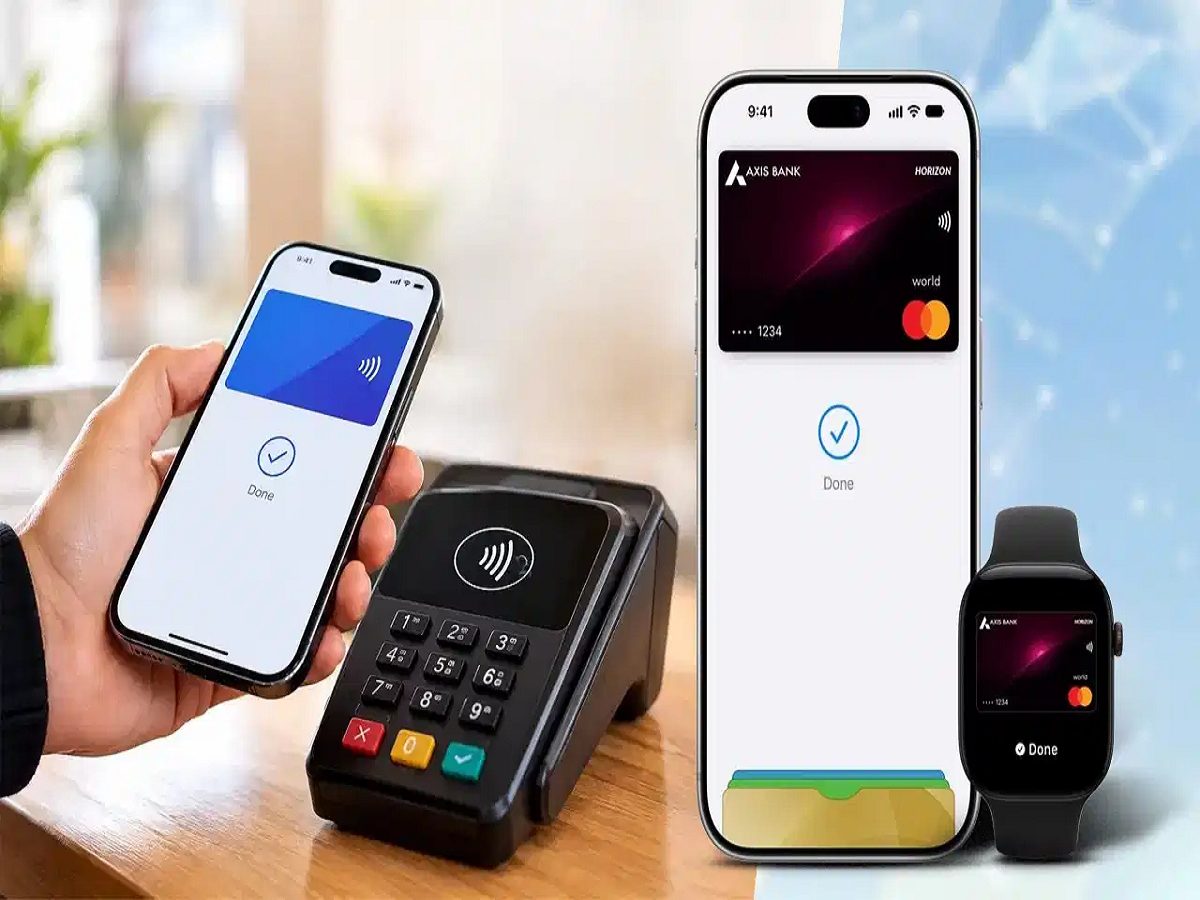
Apple Pay has finally arrived in India, giving iPhone users a new way to make contactless payments. The service has launched in partnership with Axis Bank and currently supports eligible Axis Bank Visa and Mastercard credit cards.
Instead of taking out a physical card, users can add their eligible credit card to Apple Wallet and simply tap their iPhone on a compatible point-of-sale terminal.
Apple Pay was first launched in the US in September 2014. With its Indian debut, the service is now available across more than 90 countries and territories and works with thousands of banking and payment-network partners worldwide.
What exactly is Apple Pay?
Apple Pay is Apple's digital payment service that allows users to make contactless payments using compatible Apple devices.
It uses NFC, or near-field communication, technology to communicate with compatible payment terminals. Once a card has been added to Apple Wallet, users can authenticate a transaction using Face ID, Touch ID or their device passcode and tap their device on an NFC-enabled PoS machine.
The service can also be used for eligible in-app and online purchases.
Which devices support Apple Pay?
For iPhone users, Apple Pay requires an iPhone XR or newer running iOS 18 or later, along with an eligible Axis Bank credit card.
Apple Watch users can also make payments using supported models, with Apple Watch Series 6 or later requiring watchOS 11 or later.
Apple Pay can be used at compatible payment terminals, while support for additional Apple devices and services may expand in the future.
How to add an Axis Bank card to Apple Pay
Setting up Apple Pay on an eligible iPhone is relatively simple.
Step 1: Open Apple Wallet
Unlock your iPhone and open the Wallet app.
Step 2: Tap the plus button
Tap the "+" icon at the top of the screen to add a new card.
Step 3: Select your card type
Choose the option for a debit or credit card.
Step 4: Scan your card
Place your eligible Axis Bank credit card near the back of your iPhone so that the device can capture the card information.
If you don't want to scan the card, you can choose the option to enter the card details manually.
Step 5: Enter the details
If you're adding the card manually, enter the requested information, such as your name, card number, expiry date and security code.
Step 6: Complete verification
Tap "Continue" and follow the instructions displayed on the screen to complete the card verification and setup process.
Once the process is complete, your eligible Axis Bank credit card will appear in Apple Wallet.
How to make a payment
Once your card is successfully added, you can use your iPhone at a compatible NFC-enabled PoS terminal.
Authenticate the payment using Face ID, Touch ID or your device passcode, then hold the iPhone near the contactless payment terminal.
The transaction can be completed without taking out your physical credit card.
Is Apple Pay secure?
Apple Pay is designed so that your actual card number isn't shared with the merchant during a transaction. Instead, Apple uses device-specific payment credentials to process transactions.
The payment also requires authentication through the security system on your Apple device, adding another layer of protection.
What cards currently work in India?
At launch, Apple Pay supports eligible Axis Bank Visa and Mastercard credit cards.
Other banks and card types may be added in the future, but users should check Apple's and their bank's latest information before attempting to add an unsupported card.
For iPhone users who frequently make contactless payments, Apple Pay offers a convenient way to leave the physical card in their wallet and pay directly with their phone.