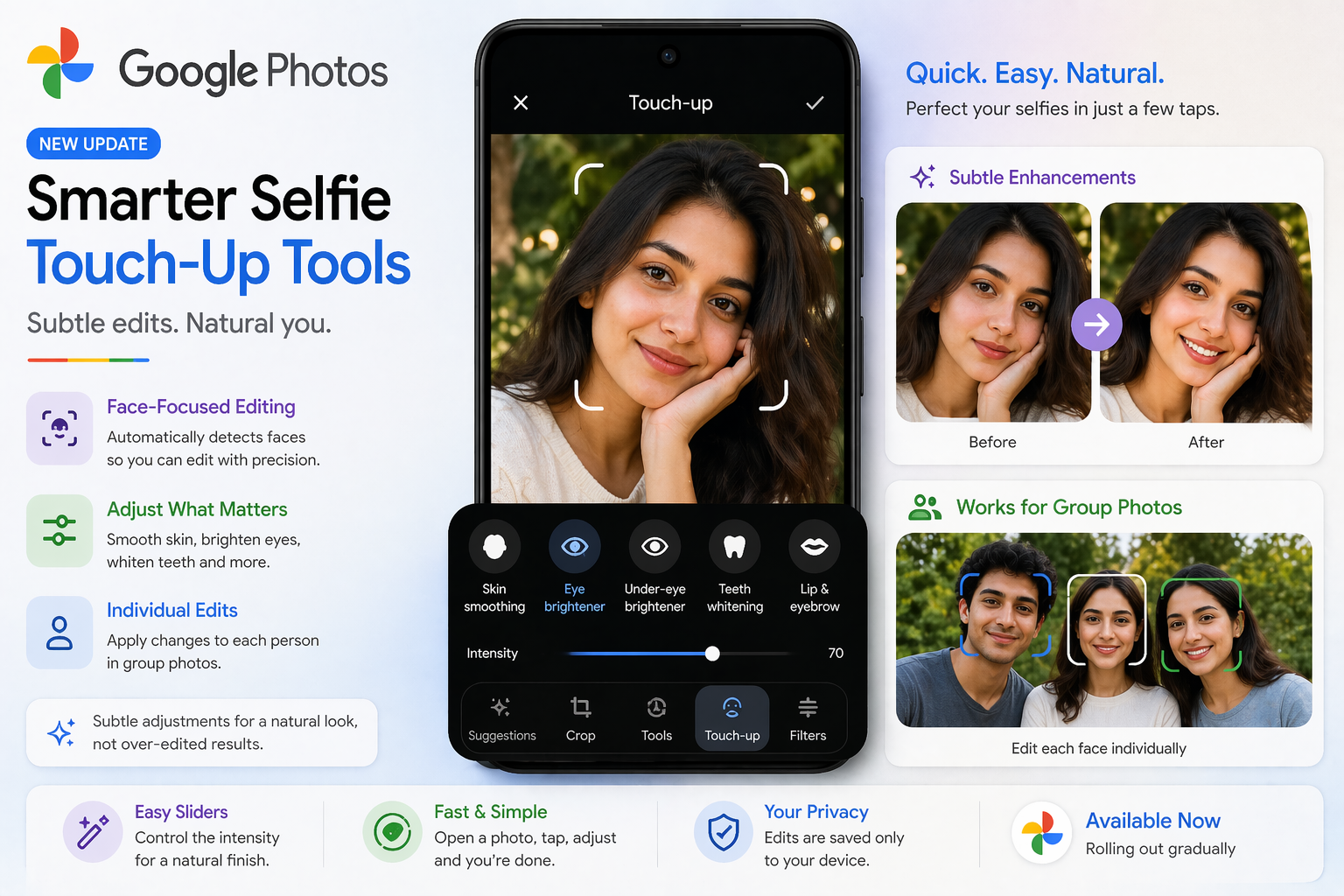
Google Photos is rolling out a fresh update focused on subtle selfie enhancements, giving users more control over how their photos look—without the overly filtered effect.
The latest tools are designed to make small, natural-looking improvements rather than dramatic edits, aligning with the growing demand for realistic photo enhancements.
What’s New in Google Photos Selfie Editing?
With this update, Google introduces a range of face-focused editing tools that allow users to fine-tune specific features in their selfies and portraits.
You can now:
- Smooth skin gently
- Brighten eyes for a fresh look
- Reduce under-eye shadows
- Whiten teeth subtly
- Adjust lips and eyebrows
Unlike traditional filters that apply changes across the entire image, these tools work selectively on facial areas, giving users precise control.
Smart Editing with Face Detection
One of the standout features is automatic face detection. The app identifies faces in a photo and allows edits to be applied individually.
This means:
- You can edit one person without affecting others
- Group photos can be adjusted more accurately
- Results look more natural and balanced
Control with Intensity Sliders
Each editing option comes with a slider control, letting you adjust how strong or subtle the effect should be.
This is important because:
- Not everyone wants heavily edited photos
- Users can maintain a natural appearance
- You get flexibility based on your preference
In simple terms, you can tweak your selfie just enough to enhance it—without making it look artificial.
How It Works
Using the new feature is simple:
- Open a photo in Google Photos
- Tap on the edit option
- Select a face in the image
- Choose the desired touch-up tool
- Adjust using sliders
- Save your changes
The process is quick and designed for everyday users, not just professional editors.
Designed for Quick, Natural Edits
Google is positioning this update as a lightweight editing solution, not a full-fledged professional editing suite.
The focus is on:
- Speed
- Simplicity
- Natural results
It’s ideal for users who want to enhance selfies for social media or personal use without spending too much time editing.
Availability and Rollout
The feature is being released gradually, so it may not appear for all users immediately.
To use the new tools, you’ll need:
- An updated version of Google Photos
- A relatively recent Android device
- Sufficient device performance for smooth editing
Final Takeaway
With this update, Google Photos is making selfie editing smarter and more refined. By focusing on subtle enhancements and user control, the app ensures that your photos look polished—but still real.
If you prefer natural-looking edits over heavy filters, this new feature could quickly become your go-to tool for everyday photo touch-ups.